
Dashboard
Pipeline, active work, collected and outstanding amounts, monthly goal progress, calendar, charts, quick actions and business prompts.
A complete, practical map of the current app: what each workspace records, how the workflows connect, what you can export or back up, and which steps remain yours.
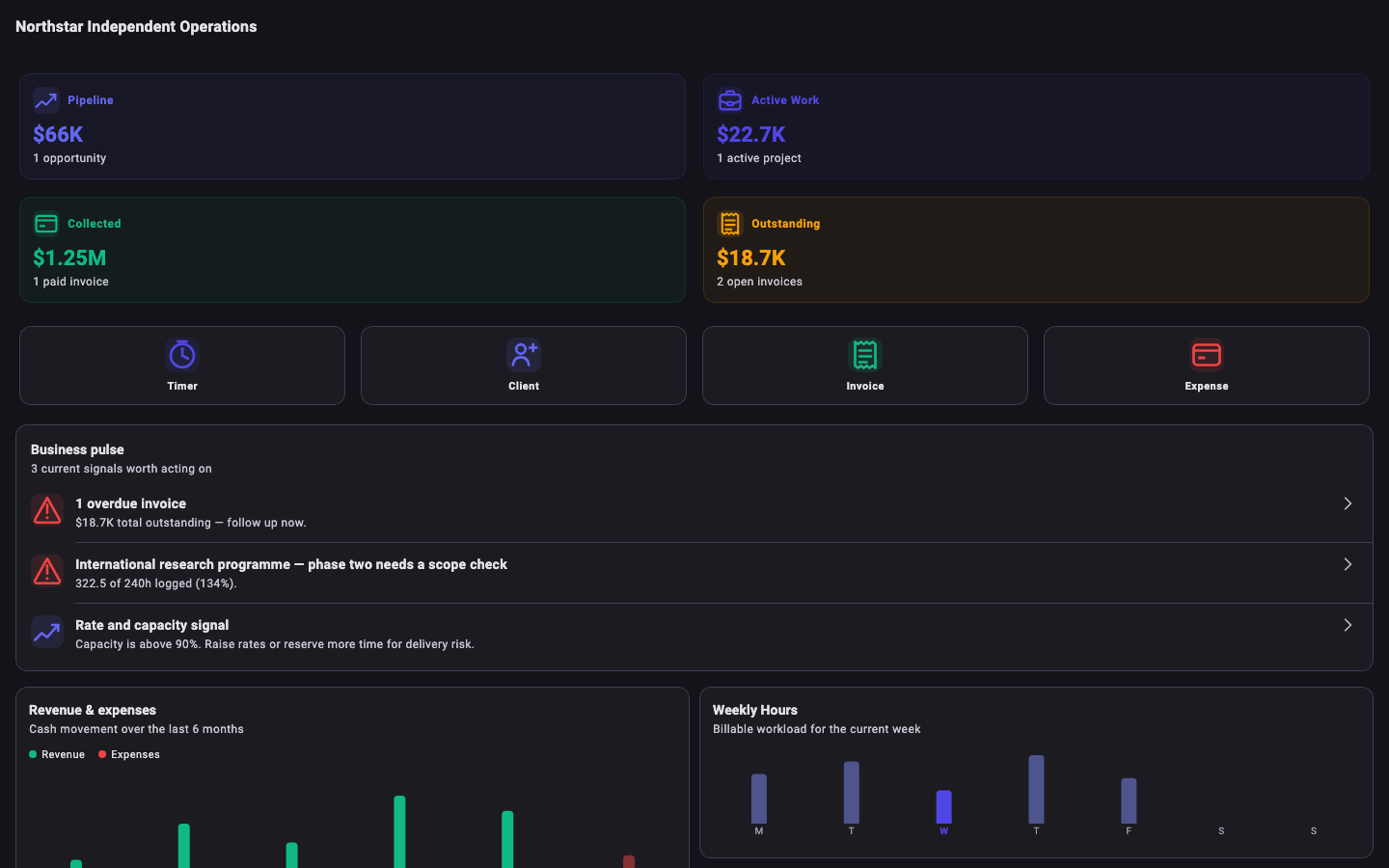
SideAce connects records across the app. Select All Gigs for a combined business view or filter supported workspaces to one gig.
Pipeline, active work, collected and outstanding amounts, monthly goal progress, calendar, charts, quick actions and business prompts.
Keep multiple lines of work in one installation. Profession templates supply relevant starter categories, project types and billing defaults.
Names, companies, email, phone, address and notes, plus project, invoice and contact history.
Leads through closed work, with scope, dates, milestones, billing model, estimated hours or value and reusable project templates.
Start and stop a project timer or enter time manually with date, start time, duration, description, rate and billable status.
Amount, category, vendor, date, description, optional project, receipt image, deductible status and client-billable status.
Manual distance, round trip, rate, start, destination, purpose, date and optional project association.
Client, gig, title, summary, valid-until date, line items and terms, with PDF export and a status workflow.
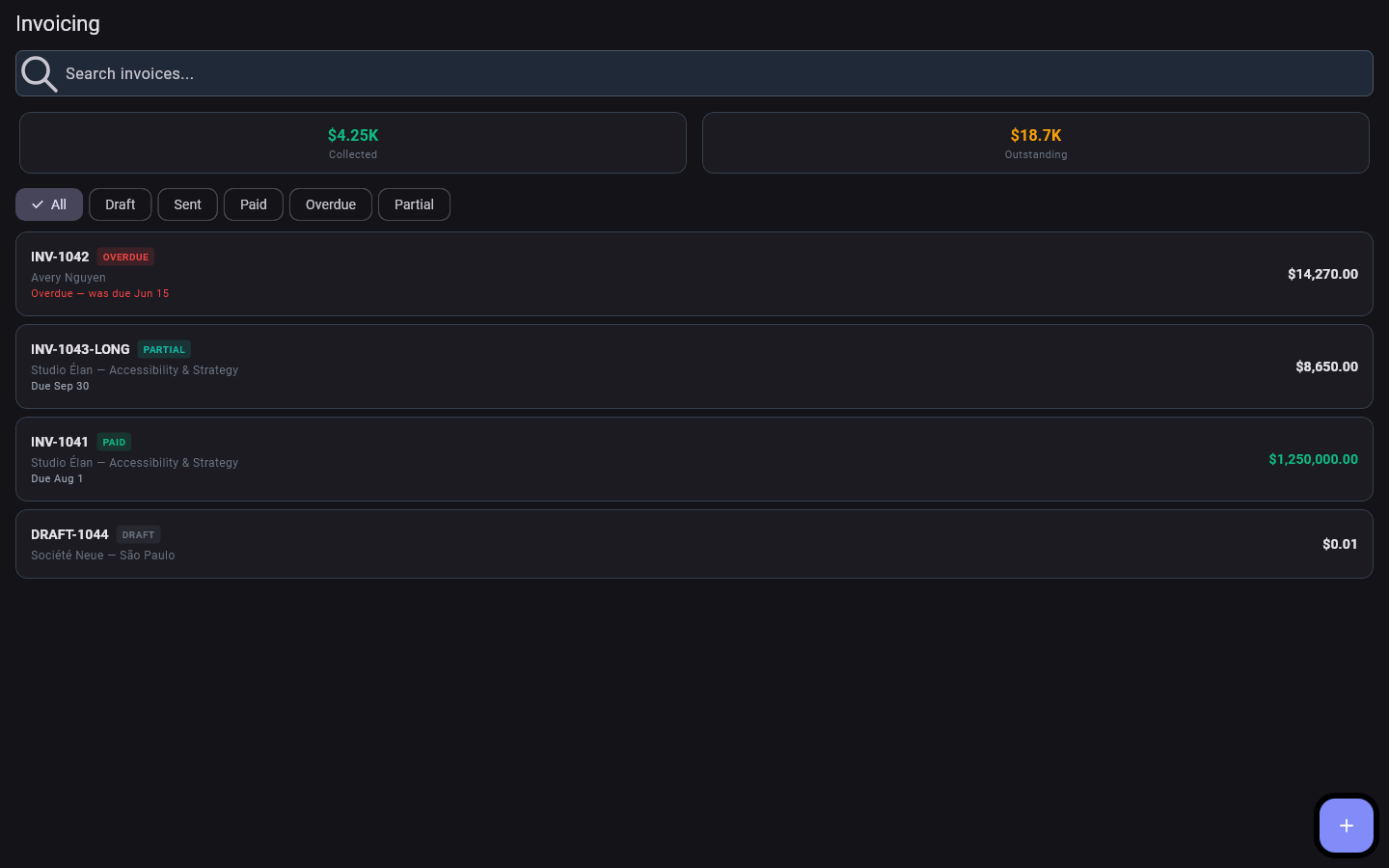
Line items, tax, due date and notes; optionally pull unbilled project time and expenses into a draft.
Record one or more payments manually against an invoice, including amount and payment method, and see the remaining balance.
Planning estimates based on the saved tax rate, paid invoices and recorded deductions, with quarterly and year-to-date views.
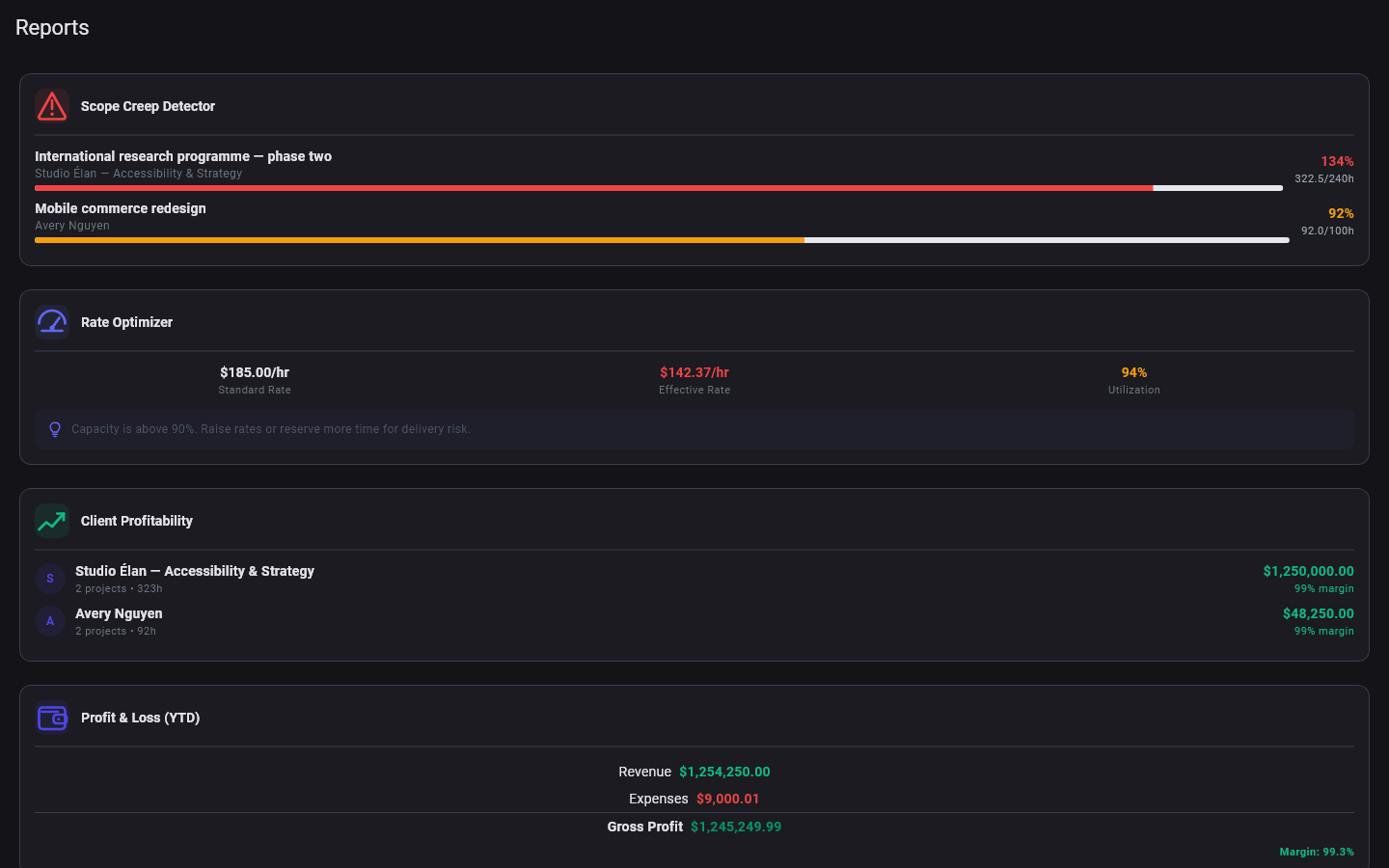
Scope creep, effective-rate guidance, client profitability, year-to-date profit and loss, and expenses by category.
Create invoice and proposal PDFs, plus CSV exports for invoices, expenses, mileage and time entries.
Business identity, logo, invoice prefix, currency, tax and mileage rates, monthly goal, theme and four dashboard quick actions.
Ask the operating system for biometric or device passcode authentication when opening SideAce on supported devices.
Create a password-protected authenticated encrypted backup and restore it after validation and integrity checks.
Client, proposal and project records stay linked so the context follows the work instead of being rebuilt in every screen.
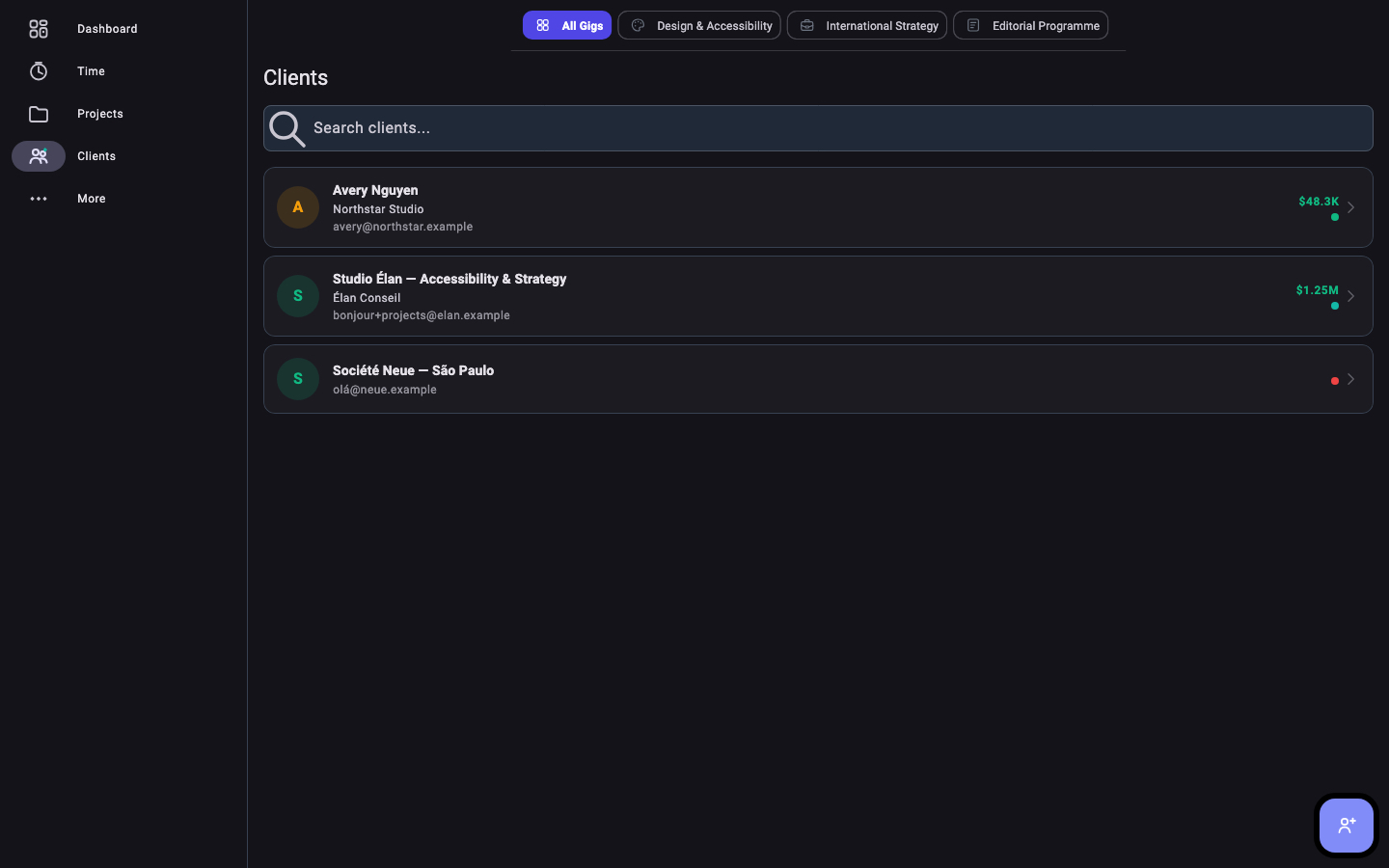
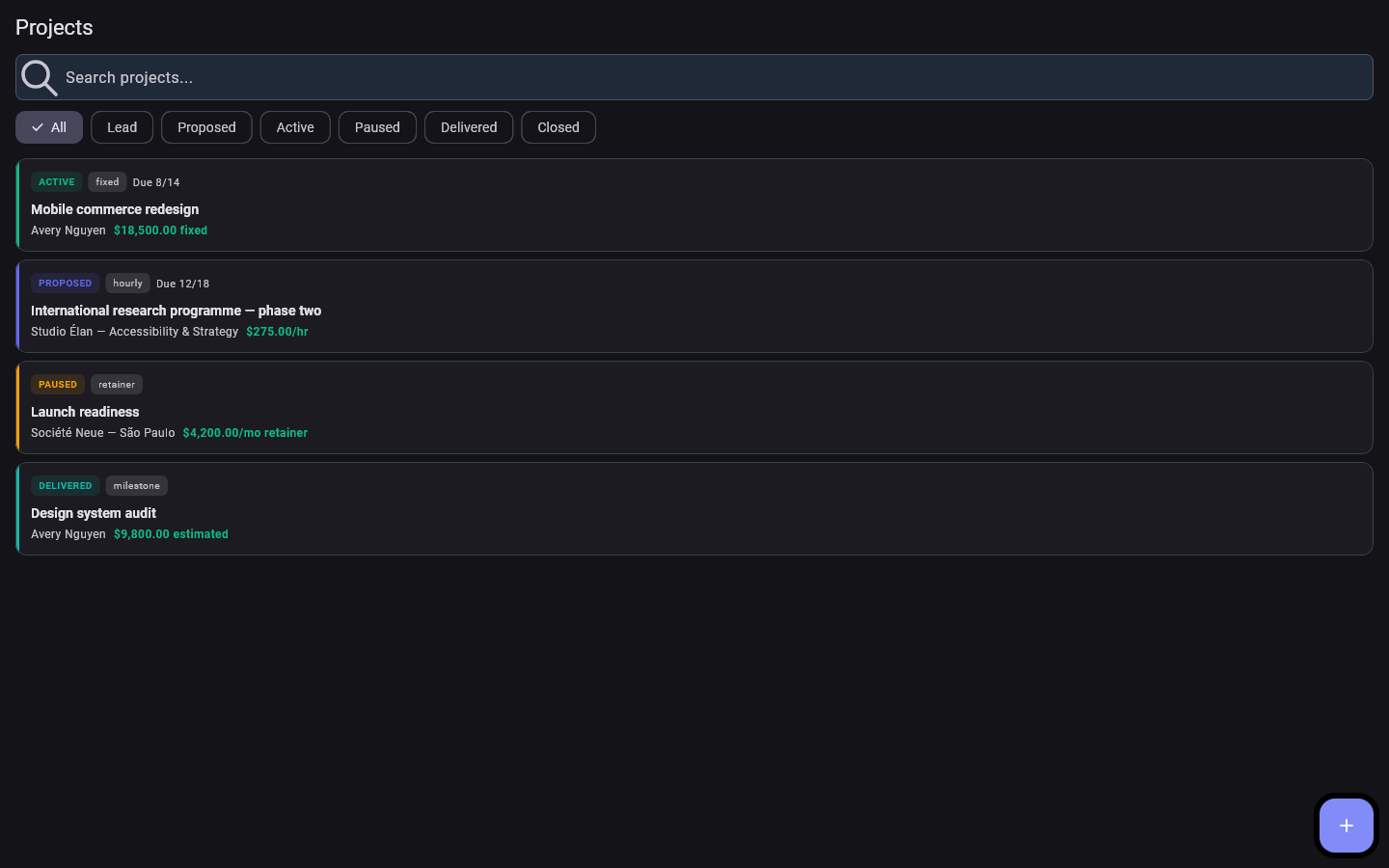
Time, expenses and mileage can feed project context, billing and reports. Accuracy still depends on what you enter.
| Record | Fast path | Details you can keep | Important boundary |
|---|---|---|---|
| Time | Run the timer or add manually | Project, date, start, duration, description, rate, billable status | The timer runs in the app; verify entries before billing. |
| Expense | Add an expense and optional receipt image | Amount, category, vendor, date, project, deduction and billable flags | SideAce does not connect to a bank or card feed. |
| Mileage | Add a trip manually | Distance, round trip, rate, locations, purpose, date and project | There is no GPS or automatic route tracking. |
The working database stays on the device. Backups, exports and transfers happen only when you initiate them.
.sideace file somewhere you control.The backup contains the database, receipt images and custom logo.
.sideace file; legacy .solocraft files are also accepted.Restore replaces the current installation’s data; it does not merge two datasets.
Exported PDFs and CSVs are not protected by App Lock or backup encryption.
App Lock is a local access deterrent; SideAce does not receive biometric templates.
Knowing the boundary is part of using a local-first recordkeeping tool safely.
No SideAce account, cloud backup, web access, multi-device sync, shared team workspace or dataset merge.
No bank feed, payment processor, payment collection, reconciliation, refunds or automatic confirmation of payment.
SideAce creates proposal and invoice PDFs; you deliver them and update their workflow states yourself.
Trip distance, route context and business purpose are manual. SideAce does not use GPS tracking.
Tax, deduction, profitability, rate and scope outputs are record-based planning aids—not filings or accounting, tax, legal or financial advice.
SideAce is for independent operators, not team permissions, payroll, inventory, point of sale or regulated recordkeeping.
Use the feature guide for how the app works and these pages for support, privacy, data handling and purchase terms.
Problem reports, backup help and safe support details.
DATAPrivacy noticeLocal records, device capabilities, website and store data handling.
SAFESecurityData-protection context and responsible vulnerability reporting.
USETermsLicence, product boundaries, responsibilities and updates.
BUYRefundsChannel-specific guidance for Apple and Microsoft Store purchases.
Add a gig, client and project. Track one piece of work, create a backup, then expand the system once you trust the routine.